Weather Forecast & Live Radar
Weather 365 DaysWeather
4.74.23K Reviews
- Version
- 1.8.0
- Installs
- 1.00M
- Age Rating
- Everyone
Screenshots
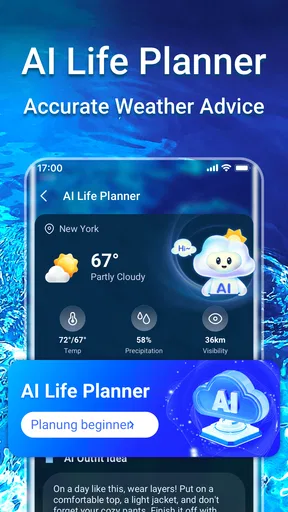
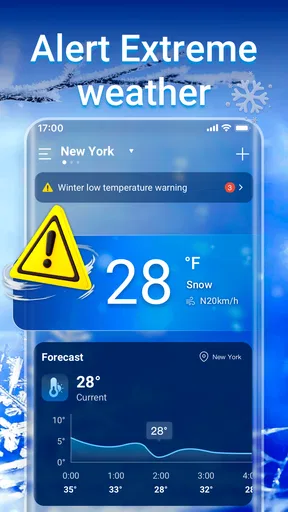
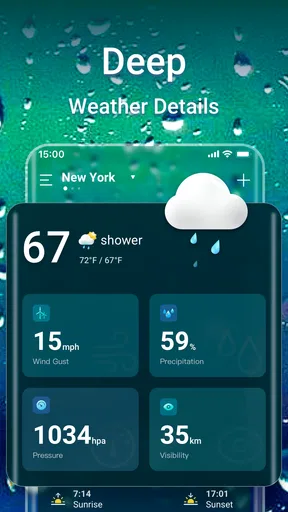
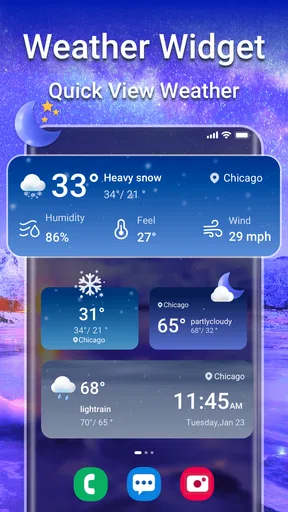
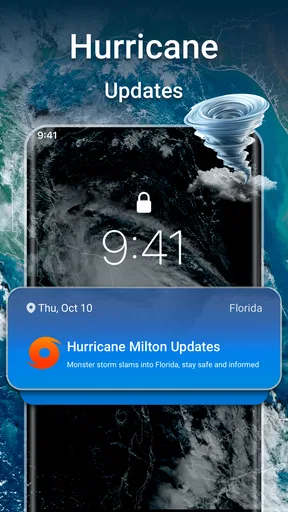
Our Review of Weather Forecast & Live Radar
 Analysis by Appyee
I usually know whether the day will be warm or wet before leaving home, but the useful question is often more specific: should I walk now, take a coat for the evening, or shift an outdoor plan by an hour? Weather Forecast & Live Radar is built around those everyday decisions, pairing a quick glance at conditions with forecasts at shorter time intervals. My first impression is that it aims to be a practical habit rather than a tool you need to study, though its long-term value depends on how much detail you actually want from a weather app.
The first week: quick answers without much setup
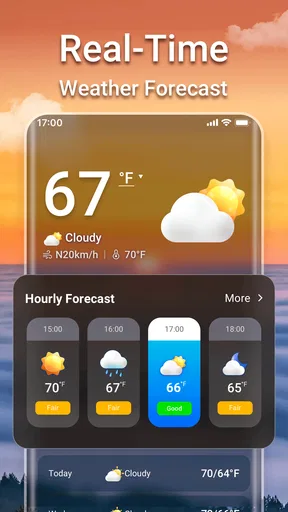
On a first visit, the appeal is straightforward. I can open the app, check the local conditions, and move on without digging through a complicated set of menus. The hourly view is useful when the day is changeable: instead of treating the forecast as one fixed label, I can consider whether a shower is likely to affect the time I plan to leave. That small change in how I check the weather is more valuable than a screen full of numbers.
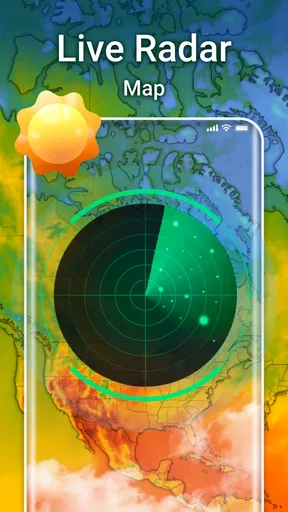
The radar gives the app a second way to answer the same practical question. A forecast can tell me rain is expected, while a map can help me see how weather is moving around an area. I would use that view as context, not as a promise about the exact minute a storm will reach my street. For errands or a walk, the combination of the hourly forecast and radar is a sensible check before heading out.
There is also an easy curiosity factor in looking up places beyond home. If I am comparing conditions in two cities before a trip, the broader location coverage can make the app handy even when I am not planning anything elaborate. I would still check a destination’s forecast again closer to departure, since a long-range outlook is best treated as a guide that can change rather than a fixed itinerary.
Why it can earn a place in a routine
The app is from Weather 365 Days, and its focus is weather information rather than a wider bundle of unrelated tools. That makes the daily use case easy to understand: check the local outlook, look at the next few hours, and decide what to wear or when to go out. The store description also highlights local and national air quality, which can matter when choosing between an outdoor workout and an indoor one. I would treat that as one more planning signal, not a substitute for personal health advice or official local guidance.
For a realistic morning routine, I would check the hourly forecast while getting ready, then open the radar only if rain looks likely around my commute. If the wet period seems to overlap with my walk to work, I can take an umbrella or leave earlier; if it appears later, I may be able to keep the original plan. This two-step habit is less tiring than repeatedly opening the app throughout the day, and it gives each screen a clear job.
Against a basic phone weather widget, this app’s stronger case is having more room to explore hourly conditions, radar, and air-quality information in one weather-focused place. A simple widget may still be better if all I want is the current temperature without opening an app. At the other end, people who need specialist storm tracking or decision-grade information for safety-critical work should use authoritative local services as well. I see this as a convenient everyday companion, not the final word in severe-weather planning.
What to expect after the novelty fades
Weather apps earn their space through consistency, not through a dramatic first impression. The radar is interesting to watch, but I would not open it just for entertainment every day. Its lasting value is more modest: a quick local check, a look at the next few hours when timing matters, and occasional air-quality context. If those are questions I ask often, the app can become a useful habit; if I only check the weather once in a while, a built-in forecast may be enough.
It is free, rated for Everyone, and has a 4.7 average from around 32,000 ratings, with more than a million installs. Those figures suggest that plenty of people have found it worth trying, but they do not guarantee that every forecast will match conditions in every neighborhood. Weather is local and can change quickly, so I would use the app to prepare sensibly rather than make a high-stakes decision from one screen.
The app’s continuing usefulness also depends on keeping expectations realistic. Forecast detail can make a plan easier, but it cannot remove uncertainty. I would check again before a long drive, a hike, or an event that depends heavily on the weather, and I would follow local alerts when conditions could be dangerous. For ordinary choices such as a jacket, an umbrella, or the best time for a quick walk, the app is a more comfortable fit.
Maintenance, friction, and who should skip it
A weather app should not become another task to manage. My simplest approach would be to open it when I have a real decision to make, rather than feeling obliged to inspect every forecast panel each day. Notifications can be helpful if they genuinely change what I do, but any alert that arrives too often or at the wrong time can turn a useful tool into background noise. I would keep only the prompts that support a specific routine and rely on a manual check for the rest.
That distinction matters because weather information is easy to over-check. Looking at a radar image repeatedly can create the impression of precision without making a forecast certain. For a flexible plan, a quick glance is usually enough; for an outdoor commitment, it is more sensible to check again nearer the event and have a backup plan. The app works best when it helps me make a decision, not when I expect it to eliminate every uncertainty.
If you prefer a bare temperature and a small chance-of-rain label, a built-in phone forecast may be quicker and less distracting. If you need specialist tools for aviation, marine travel, emergency response, or detailed storm analysis, a general weather app is not the right primary resource. I would also skip it if I know I will ignore hourly details and radar after the first few days. Its appeal is specifically for people who like a little more context than a widget provides.
A considered everyday choice
There are a few practical ways to get more out of the app without turning it into a project. I would compare the hourly outlook with the radar only when timing matters, rather than treating the map as a replacement for the forecast. Before a trip, I would check the destination separately from home and revisit it close to departure. For outdoor exercise, I would consider air quality alongside the weather, since comfortable temperatures alone do not tell the whole story.
These small habits also make it easier to judge whether the app deserves a lasting place on your phone. If the local forecast regularly helps you choose when to leave, what to carry, or whether to move an activity, that recurring usefulness is real. If you find yourself opening it without getting a clearer answer, simplifying your routine—or going back to a basic widget—may be the better choice. I value the app most when I use each view with a purpose.
Getting Started with Weather Forecast & Live Radar
First off, downloading Weather Forecast & Live Radar is a breeze. Available on both Android and iOS, you’re just a tap away from having the world’s weather at your fingertips. Once installed, the app welcomes you with a slick interface that's both user-friendly and visually appealing. The main screen offers a snapshot of the current weather conditions, and navigating through the app feels intuitive.
Features That Stand Out
One of the app’s standout features is its live radar. I mean, who doesn’t love a good radar view? It provides a real-time map of weather patterns, and honestly, it’s quite mesmerizing to watch. You can see storms rolling in or sunshine breaking through with just a few swipes.
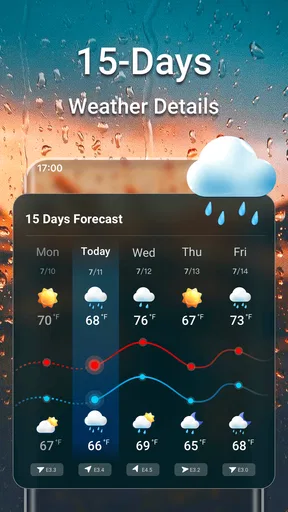
Another cool feature is the hourly and weekly forecasts. Detailed predictions mean you can plan your activities down to the hour. And if you’re like me, always forgetting your umbrella, the app’s notifications are a lifesaver. They alert you ahead of time about any significant weather changes.
Why You’ll Love It
Now, let’s talk about the nitty-gritty. What makes this app a must-have is its accuracy. I’ve tried quite a few weather apps, and this one’s predictions have been spot on. Plus, it’s not just about rain or sunshine; it offers detailed insights into wind speeds, humidity levels, and even UV indexes. Perfect for planning outdoor activities or just knowing if you’ll need that extra layer of sunscreen.
And if you’re as curious as I am, the app also lets you explore weather conditions from all over the globe. It’s fascinating to see how weather patterns differ across countries, and it’s a neat feature if you’re planning a trip abroad.
Wrapping It Up
All in all, Weather Forecast & Live Radar is more than just a weather app; it’s like having a personal meteorologist in your pocket. Whether you’re planning a picnic, a trip, or just your daily commute, this app keeps you informed and prepared. So, if you haven’t already, give it a try. Trust me, it’s worth the download!
Privacy and Permissions
See what permissions an app requests and how it handles your data.
- Location
- approximate location (network-based)
- Wi-Fi connection information
- view Wi-Fi connections
- Other
- view network connections, full network access, run at startup, prevent device from sleeping
Verdict
Strengths of Weather Forecast & Live Radar
- Accurate real-time weather updates.
- User-friendly interface with clean design.
- Detailed radar maps with multiple layers.
- Customizable alerts for severe weather.
- Supports multiple locations for tracking.
Limitations of Weather Forecast & Live Radar
- Frequent ads can be distracting.
- Some features require a premium upgrade.
- Occasional delays in loading radar maps.
- Limited offline functionality.
- Battery usage can be relatively high.
Similar Picks in This Category
View All
Weather - By Xiaomi
Xiaomi Inc.4.1

Weather & Radar Forecast
WetterOnline4.8

Weather
OneLouder Apps4.6

AccuWeather: Weather Radar
AccuWeather3.6

The Weather Channel - Radar
The Weather Channel4.6

1Weather Forecasts & Radar
OneLouder Apps4.3
Frequently Asked Questions
What features does the Weather Forecast & Live Radar app offer?
The Weather Forecast & Live Radar app provides real-time weather updates, detailed forecasts, and interactive radar maps. Users can access hourly and weekly forecasts, track severe weather alerts, and customize notifications. The app also includes features like air quality indices and UV levels, making it a comprehensive tool for planning your day.
Is the Weather Forecast & Live Radar app free to use?
Yes, the app offers a free version with essential features, such as basic forecasts and radar views. However, there is a premium subscription available for advanced features, including ad-free usage, extended forecast data, and enhanced radar capabilities. This allows users to choose the level of service that best suits their needs.
How accurate is the data provided by the Weather Forecast & Live Radar app?
The app sources its data from reputable meteorological services, ensuring high accuracy. It uses advanced algorithms to process real-time data for precise forecasts. While no weather app can guarantee 100% accuracy due to the nature of weather prediction, this app is known for its reliability and prompt updates.
Can I customize alerts and notifications in the app?
Yes, the app allows users to customize alerts for various weather conditions. You can set notifications for severe weather alerts, daily forecasts, and specific weather conditions like rain or snow. This feature ensures you receive timely updates tailored to your preferences, helping you stay informed and prepared.
Is the Weather Forecast & Live Radar app available for both Android and iOS?
Absolutely, the Weather Forecast & Live Radar app is available for download on both Android and iOS platforms. Users can easily find it on Google Play Store and Apple App Store. It is designed to offer a seamless experience across different devices, catering to a wide range of users.
